
Free SPF checker: Check SPF records and DNS lookups easily
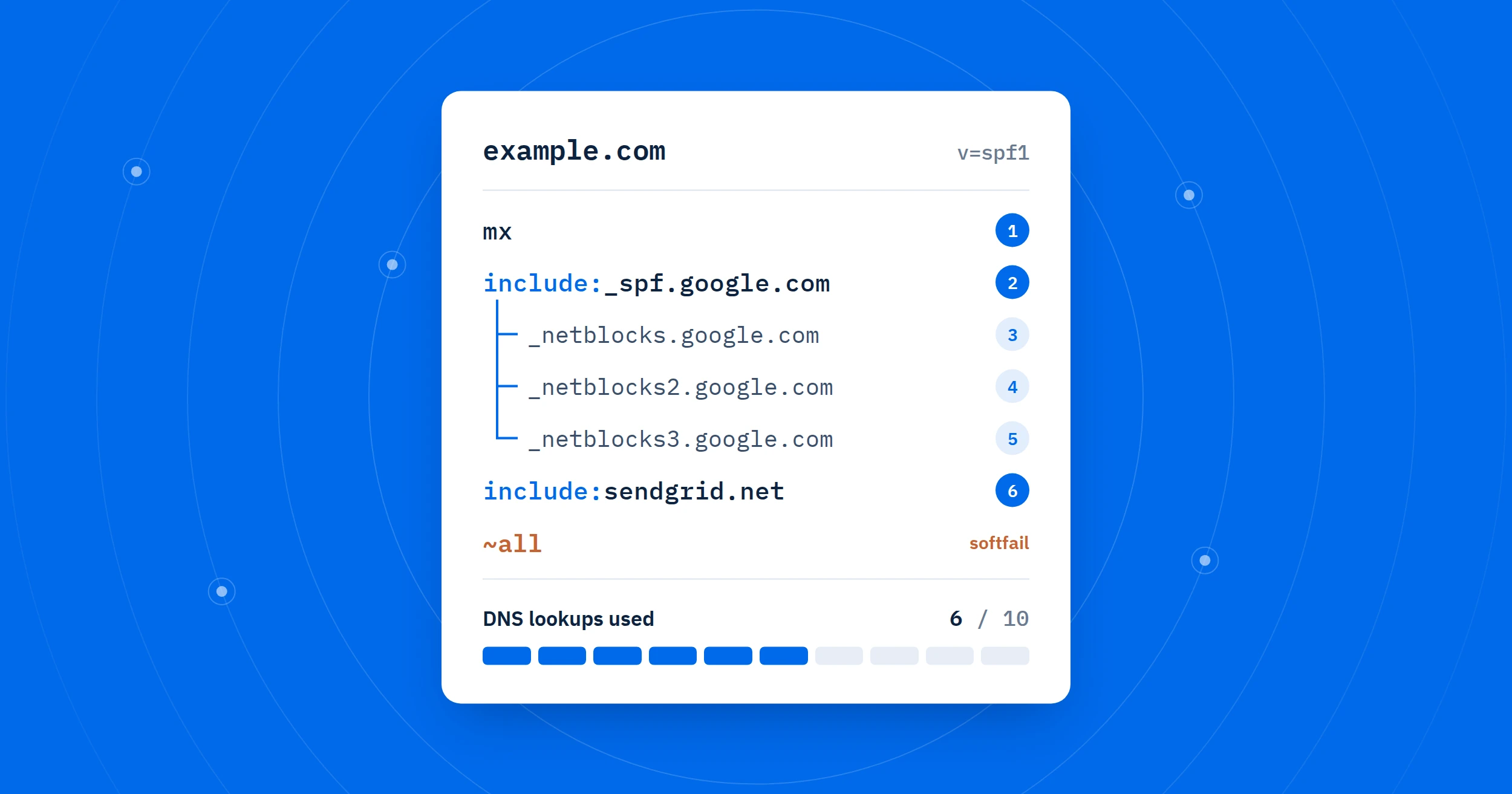
Check your domain’s SPF record for syntax errors, excessive DNS lookups, broken includes, and other common issues. Get a clear breakdown of your SPF policy, lookup path, and practical recommendations to help improve email authentication and deliverability.
What is SPF?
SPF (Sender Policy Framework) is a DNS record that lists which servers are allowed to send email for your domain. When someone receives a message from you, their mail server checks your SPF record. If the sending server isn’t on the list, the message may land in spam or be rejected.
A basic record looks like this: v=spf1 include:_spf.google.com ~all
How to read an SPF record
v=spf1marks the record as SPF.include:allows another service (Google, Microsoft 365, Mailchimp, and so on).ip4:andip6:allow specific addresses.mxandaallow your own mail and web servers.
The ending says what to do with everyone else:
-allrejects them.~allis a soft fail (marked as suspicious).?allis neutral.+allallows anyone. Never use this.
How to fix common SPF errors
No SPF record found
Add a TXT record at your domain’s root (host @) in your DNS settings. Your email provider’s help pages list the exact include: value to use.
Multiple SPF records
A domain may have only one SPF record. Combine all include: entries into a single record and delete the others.
Too many DNS lookups (over 10)
Each include, a, mx, exists and redirect counts as a lookup, including nested ones. Remove services you no longer use, or replace includes with ip4: or ip6: addresses, which cost nothing.
Ends with +all, ?all or nothing
End your record with ~all or -all so unauthorized senders are not trusted.
Uses ptr
The ptr mechanism is slow and deprecated. Replace it with ip4:, ip6: or include:.
Record changed but the tool shows the old one
DNS changes can take from a few minutes up to 48 hours to spread. Check again later.
Next steps
SPF works best together with DKIM and DMARC. Setting up all three greatly improves email deliverability and protects your domain from spoofing.
Check out all of the free tools by Email Dive.
Article update history View changelog
- – Added internal links and updated author bio
- – Published the first version of this SPF checker tool
